Product Description
SPC1+ Enterprise
Contact us for Pricing! Multiple License Discounts Apply!
Shop-Floor Data Collection and Analysis Made Easy
User friendly centralized administrator tools
- Real-time data collection through gages and most measuring devices
- Stores SPC information in a Microsoft Access or SQL database and MS-SQL Express
- Import shop-floor roving data
- Collect data from Variables and Attributes
From a central location, users employ the Desktop Explorer screen to create and modify Worksets, monitor all data collection processes, manage the database and generate reports. The Workset screen uses predefined profiles based on each operator’s preset log-on preferences. The system automatically creates a date and time stamp, performs data validation and traceability while also identifying problems and suggesting corrective actions. A straightforward program wizard guides operators through the process of configuring the collection of data.
Stay on top of problems with instant notification...
When defined parameters become out of control, selected users receive automatic notification.
Check out our supported charts and analyses!
- X-bar Range/Sigma
- Run, C, U, Np, P
- Process Monitoring
- Process Capability
- Box-wisker
- Pareto, bar, and pie
- Scatter diagrams
Additional Features:
- Easy to use cascading Explorer view, with user-defined folders for grouping by customer, department, product family, etc.
- Quickly open and analyze real-time or historical data directly from Excel or text files or nearly any other source such as Oracle, MRP, ERP, or LIMS databases. All your analysis options (including Assignable Cause and Corrective Action tags) are stored locally in your ODBC-compliant database.
- Enter data directly into SPC1+ Enterprise's spreadsheets or with easy to use data entry forms that also support electronic gaging.
- Create user-defined formulas based on data entry Characteristics.
- Each network license is concurrent-use, and includes controlled access to nearly every feature in the SPC software.
- Customize the interface by re-labeling branches, menus and dialog boxes. For example, you can simply and seamlessly change the Process label to Laboratory.
- Use a variety of data sources within your organization, such as for different process lines, and link or merge the databases as needed. Switching databases is easy!
- Pre-defined Work Sets prevent process personnel from using the wrong data file or analysis parameters.
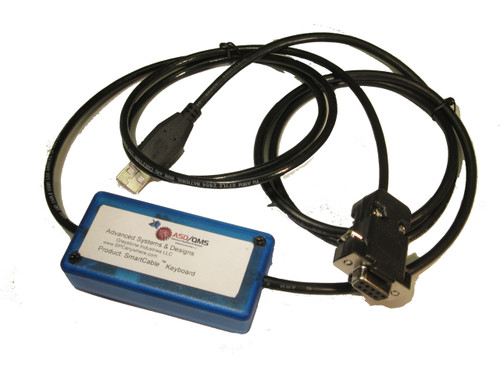
- Enter data directly from electronic instrumentation gages, SmartCable or GageMux universal gage interfaces (USB or RS232), keyboard or bar code readers.
- Automatic login and date/time stamp on data entry, with unlimited Traceability fields (such as Order Number, Customer, etc.) using drop-down lists and "last entry" defaults.
- Auto-advance option for data entry to move rapidly to the next characteristic.
- Real-time feedback with color-coded display, warning and Assignable Cause / Corrective Action prompts, and Advanced Alerting with Email notification.
- Large Display option legible from yards away, with background color indicating out of spec.
- Color-coded Rainbow Charts to easily monitor values relative to control limits.
- Link to Documents specific to each Characteristic for quick access to Procedures, Drawings and more!
- Password-protected login and access control ensure privilege to perform critical functions.
- Optional web interface and security features for regulated industries including 21 Part 11 CFR requirements, with Audit Trails.